 Image Number Helper
Every image gets a number
Clean badges appear on top of each image without breaking the page or blocking clicks. Numbers stay put while more images load, and tiny icons are skipped.
Image Number Helper puts a clear number on every image on any web page, so design reviews, QA passes, client calls and image-search comparisons all point at the same thing.
Works on any http/https page · English, Español, Português, Deutsch, Français, 日本語
Anywhere more than one person looks at the same page, numbers beat pointing.
Press Alt + Shift + N on any page. That’s the whole setup.
Clean badges appear on top of each image without breaking the page or blocking clicks. Numbers stay put while more images load, and tiny icons are skipped.

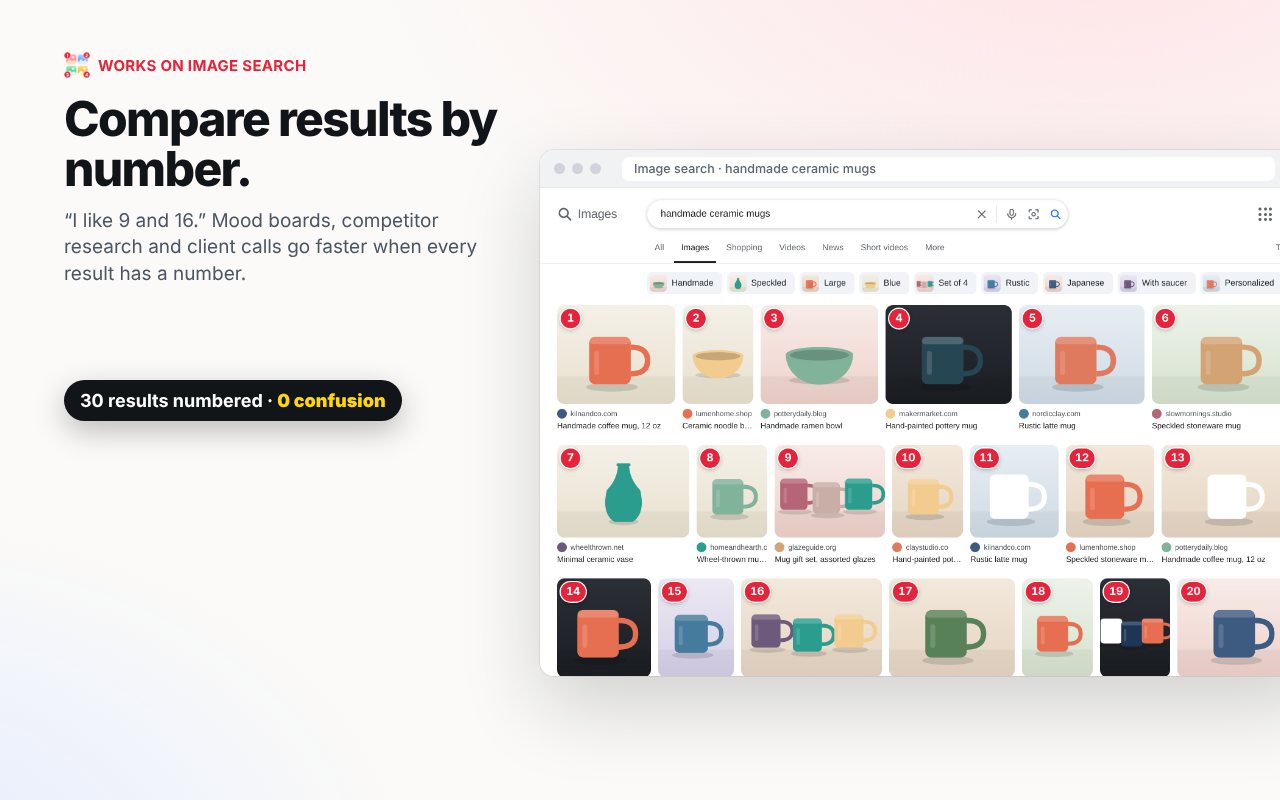
Works on image search results, mood boards and marketplaces. “Number 9 or 16?” is a question everyone can answer.
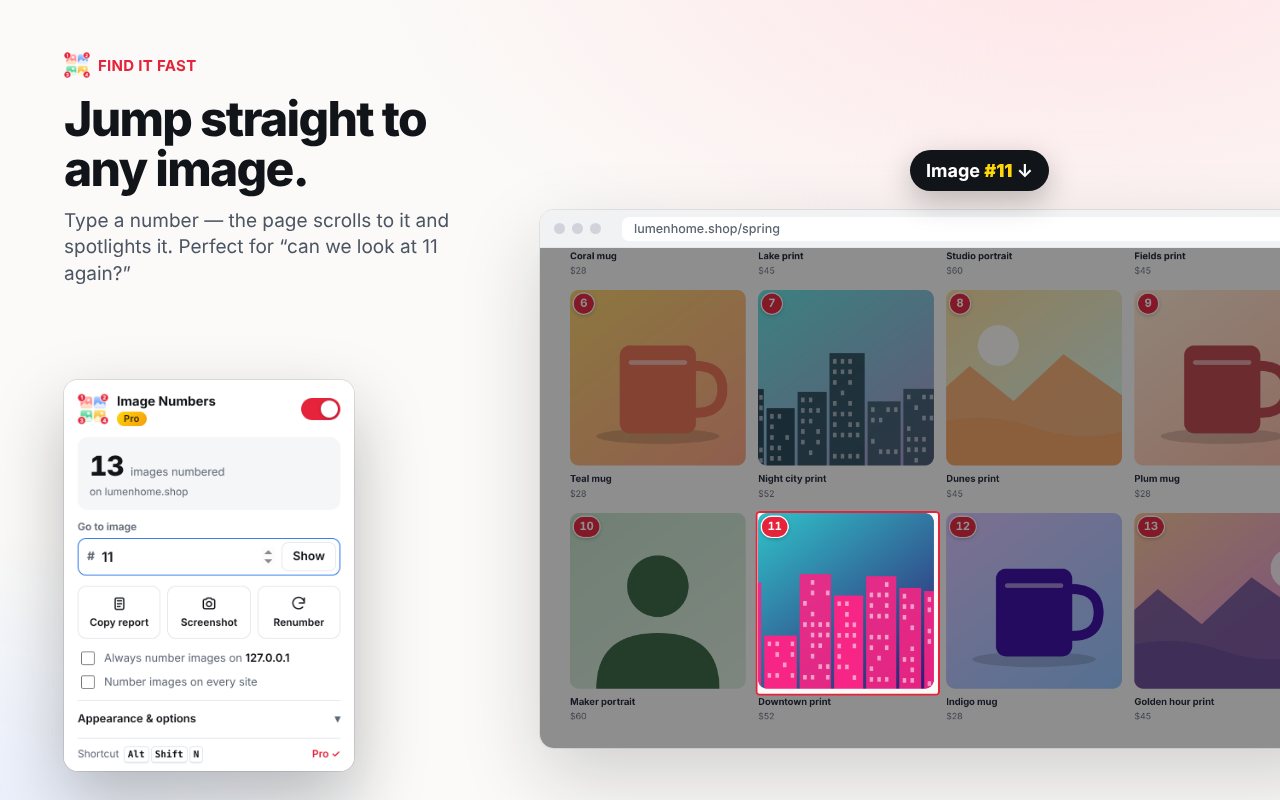
Type a number and the page scrolls to it and spotlights it. Click any badge to copy “Image 7” to paste into chat or a ticket.
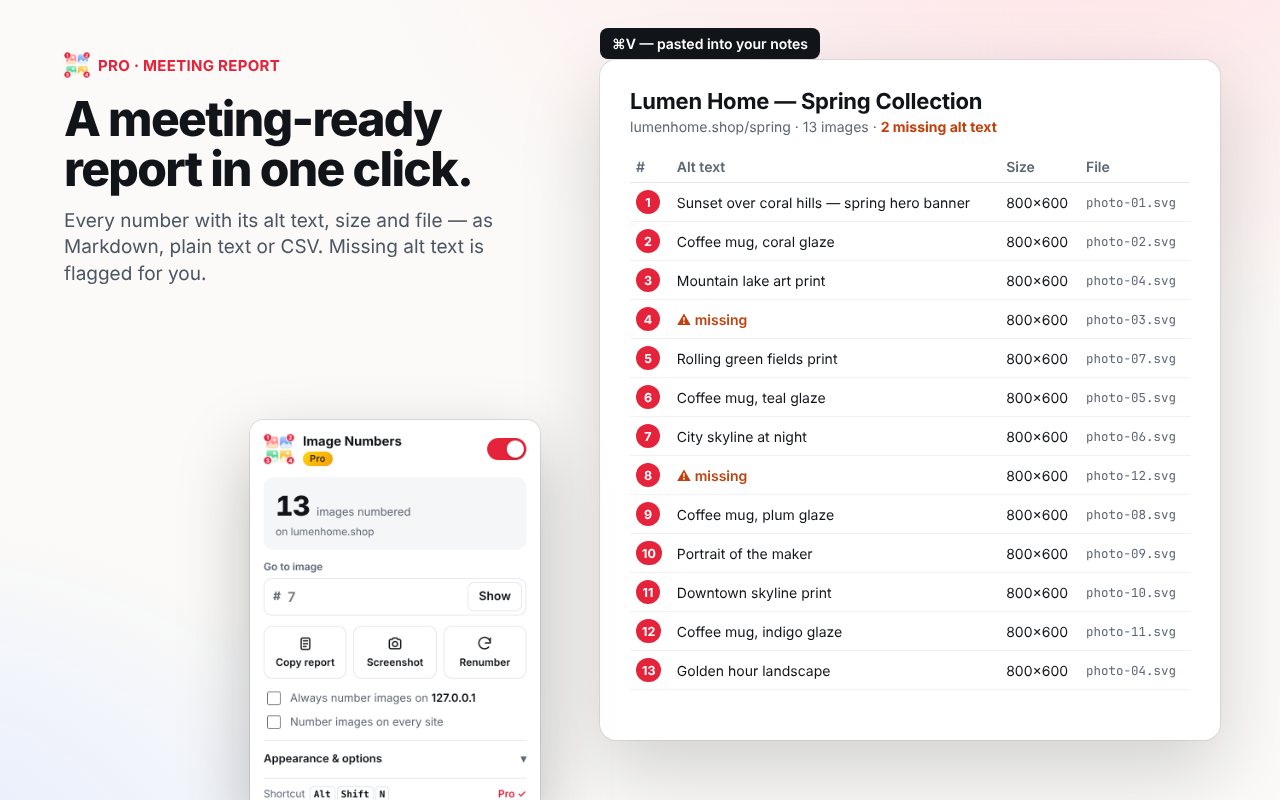
Copy every number with its alt text, size and file name as Markdown, plain text or CSV. Images missing alt text are flagged for you.
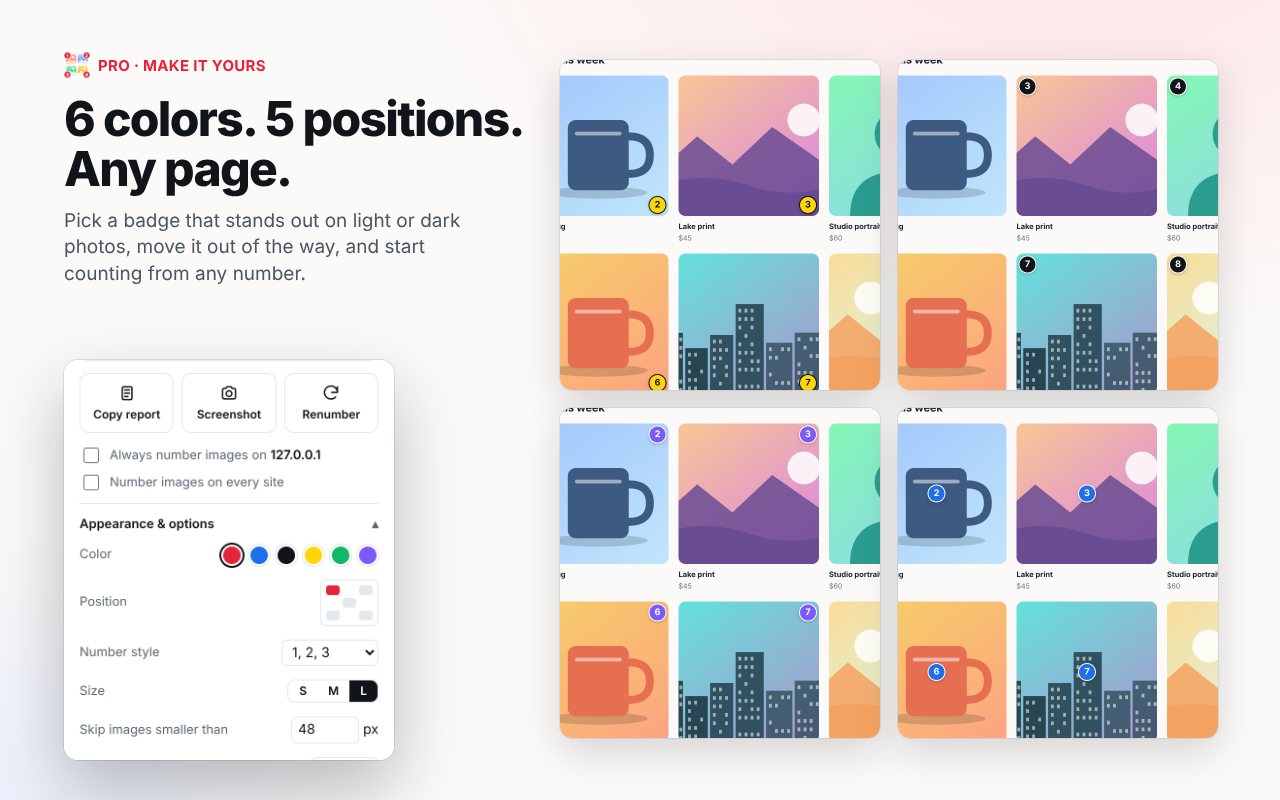
Six colors, five positions, four number styles (1, A, 01, I) and a custom start number, so badges stand out on any page.
Free for everyday use. Pro is a single payment: no account, no subscription.
Secure checkout by Stripe · Local taxes calculated at checkout · 30-day refund · Prices in USD; local currency shown where available.
No. Numbers are drawn in a separate overlay on top of the page. They don’t alter the page, block clicks, or load anything from the internet.
No. There’s no account, no analytics and no tracking. Settings sync through your own Chrome profile. See the privacy policy.
Click Upgrade in the extension and pay with Stripe. Pro unlocks automatically on the thank-you page. You’ll also see your license key there to use on other Chrome profiles.
No. Everyone who installed it before version 3 is a founding user and has Pro free, forever.
Yes, within 30 days, no questions asked. See the refund policy.
Contact support with the email you used at checkout and we’ll send it again.
It’s built for Chrome and installs from the Chrome Web Store. Most Chromium-based browsers can install Chrome Web Store extensions too.